Your data isn't really yours
Most apps keep your work on their servers. Try leaving with everything intact, and it's rarely simple.
Your notes, screenshots, scans, recordings and links, in one private app that sorts and remembers them for you.
Mac · Windows
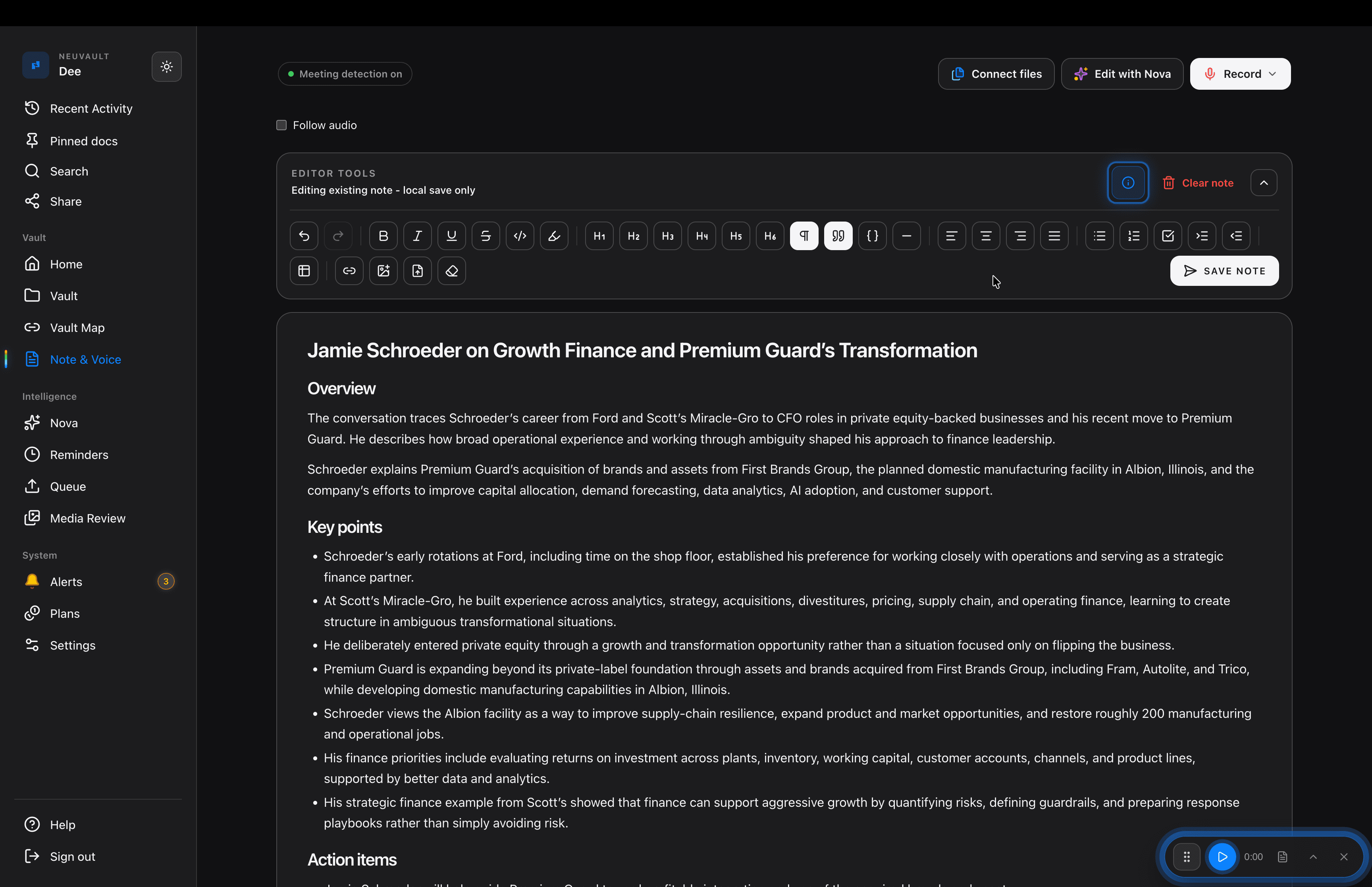
Room to sort, read and connect everything you keep.
iPhone · Android
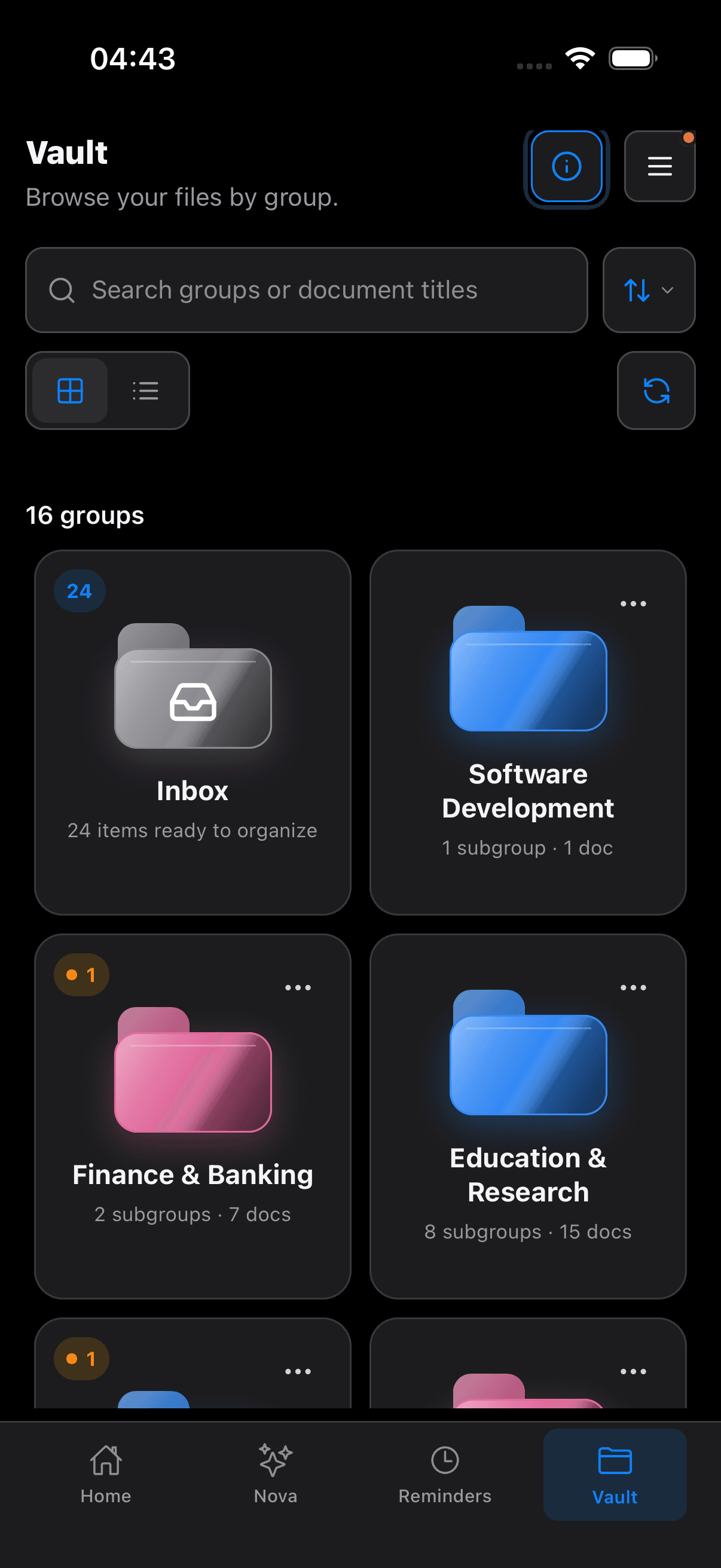
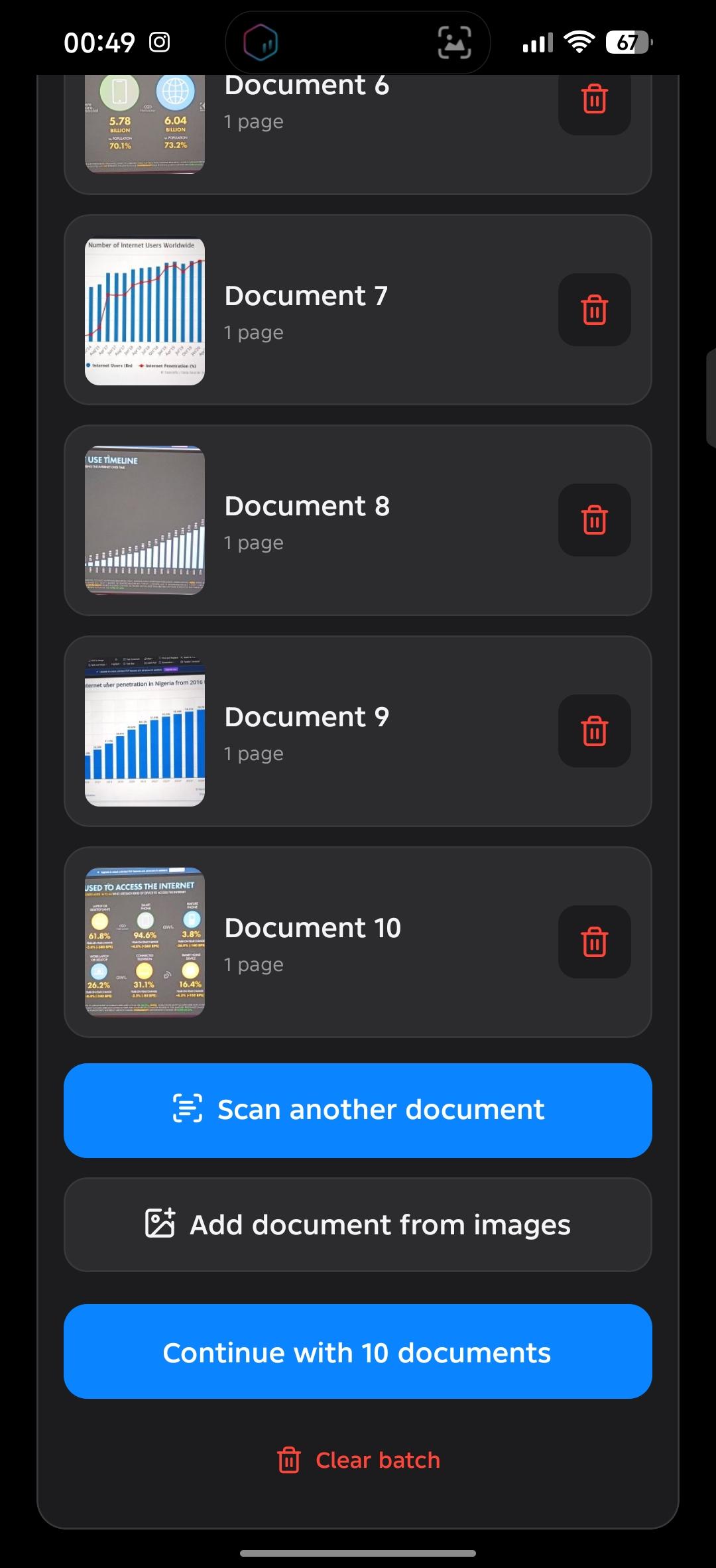
Capture it the moment it arrives, and check what is due wherever you are.
The problem
Screenshots in your camera roll. Invoices in WhatsApp chats. Contracts buried in email. Forty tabs “for later.” A Watch Later list you’ll never finish.
Most apps keep your work on their servers. Try leaving with everything intact, and it's rarely simple.
The average American has around 83 bookmarked websites and 582 saved phone photos.1 It isn’t that you don’t save things. It’s that you can never find them again.
A scanner app for receipts. A notes app for ideas. A recorder for meetings. Bookmarks for links. A calendar for deadlines. A cloud drive for backups. None of them talk to each other, so you end up being the one who connects everything.
Renewal dates, payment deadlines and event dates sit inside documents you'll never reopen, until it's too late.
“879 tabs open on my phone. 1,501 screenshots. 4,026 videos in Watch Later.”
“My desktop is covered in screenshots I meant to sort last week (or possibly last year).”
— Reader's Digest
“I know I saved that somewhere.”
— Almost everyone, at some point
NeuVault brings it all into one app, and fixes all four.
Answers “Your data isn't really yours”
Back up your entire vault as one encrypted bundle and keep it wherever you like: Google Drive, iCloud, OneDrive, Dropbox or a USB drive. It’s unlocked by a Recovery Key that never leaves your device, and each backup can only be restored into the account that created it.
Switch from Mac to Windows or Android to iPhone, restore your bundle, and everything comes back exactly as you left it, with every group, note and map intact.
Your vault lives on your device, not on our servers. Nova only processes what you choose, when you choose, and nothing is stored on our servers.
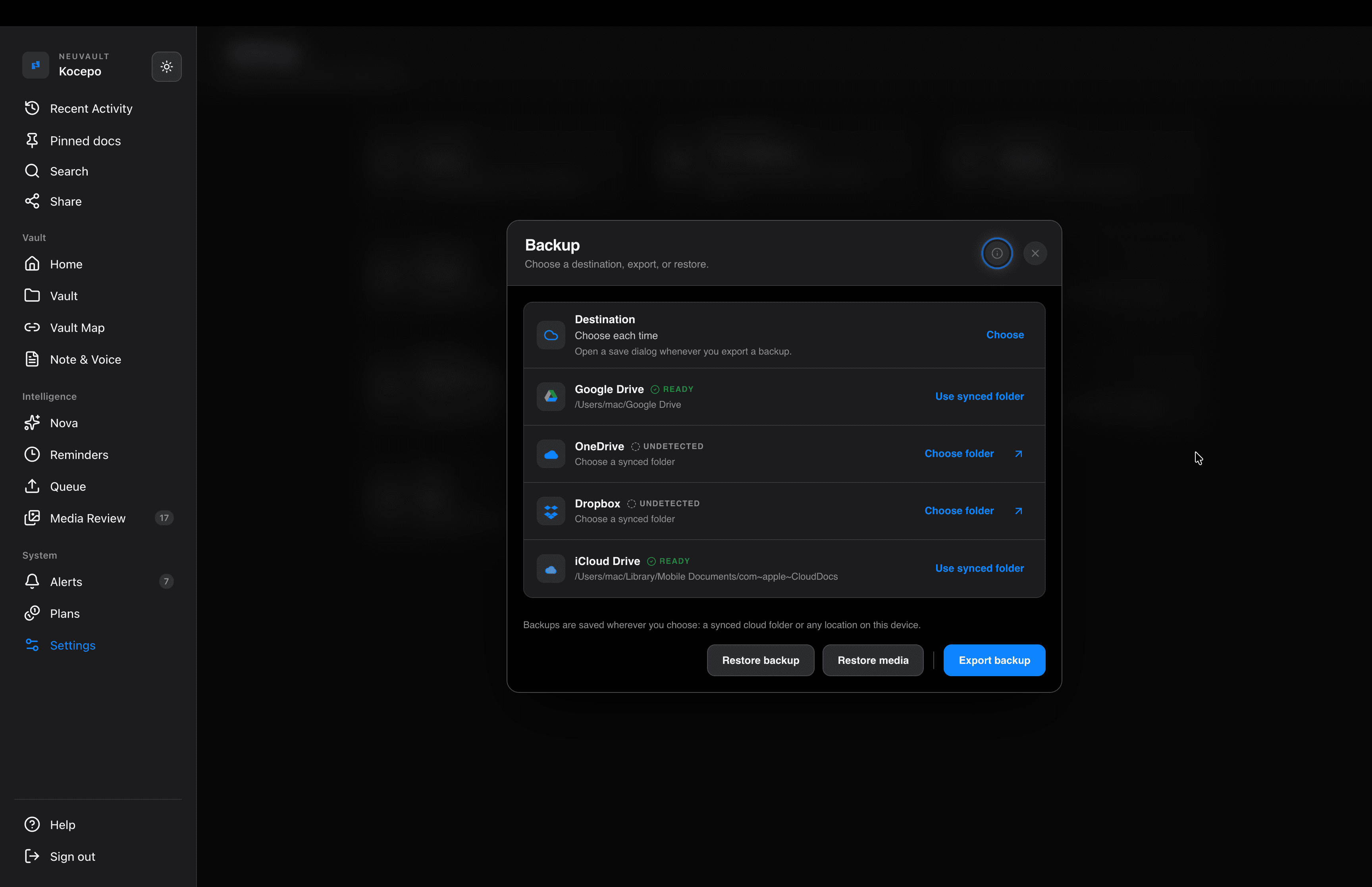
Answers “Saved, then lost” and “One goal, five apps”
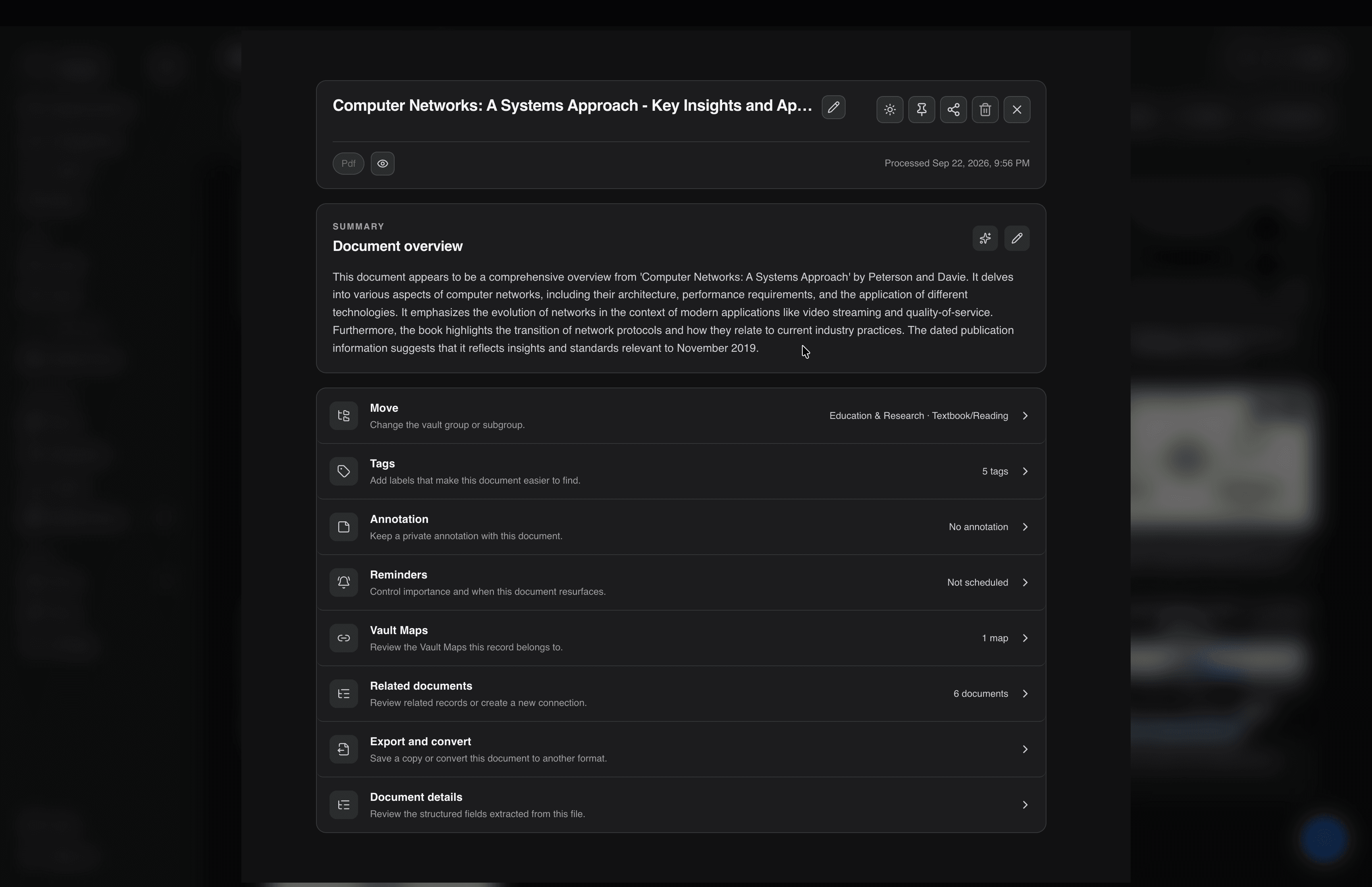
Notes, scanning, transcription, links, reminders and backup, all connected in one place, so everything you save for the same project finds its way together.
Bring everything in, however it arrives. NeuVault takes it from there.
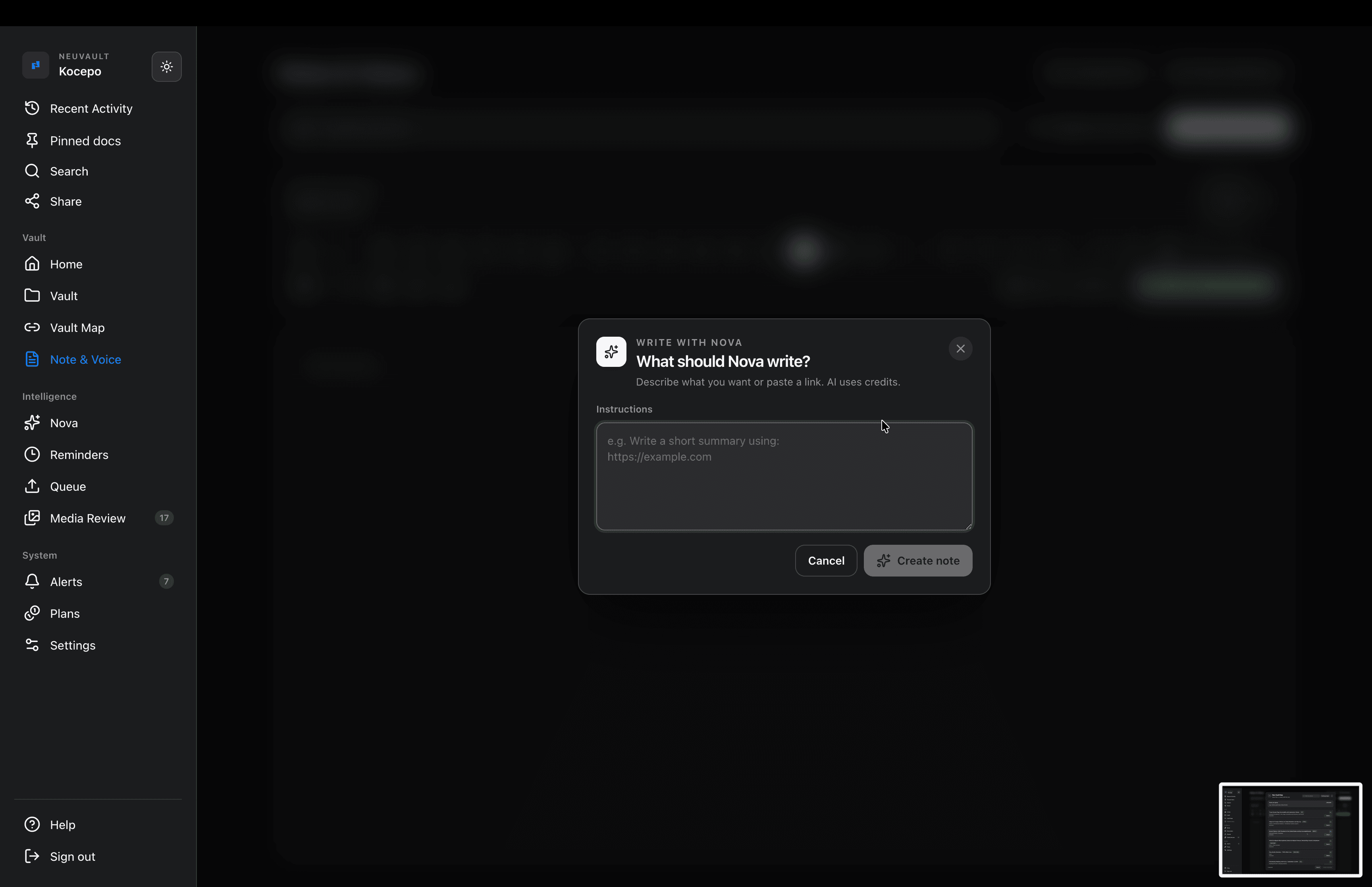
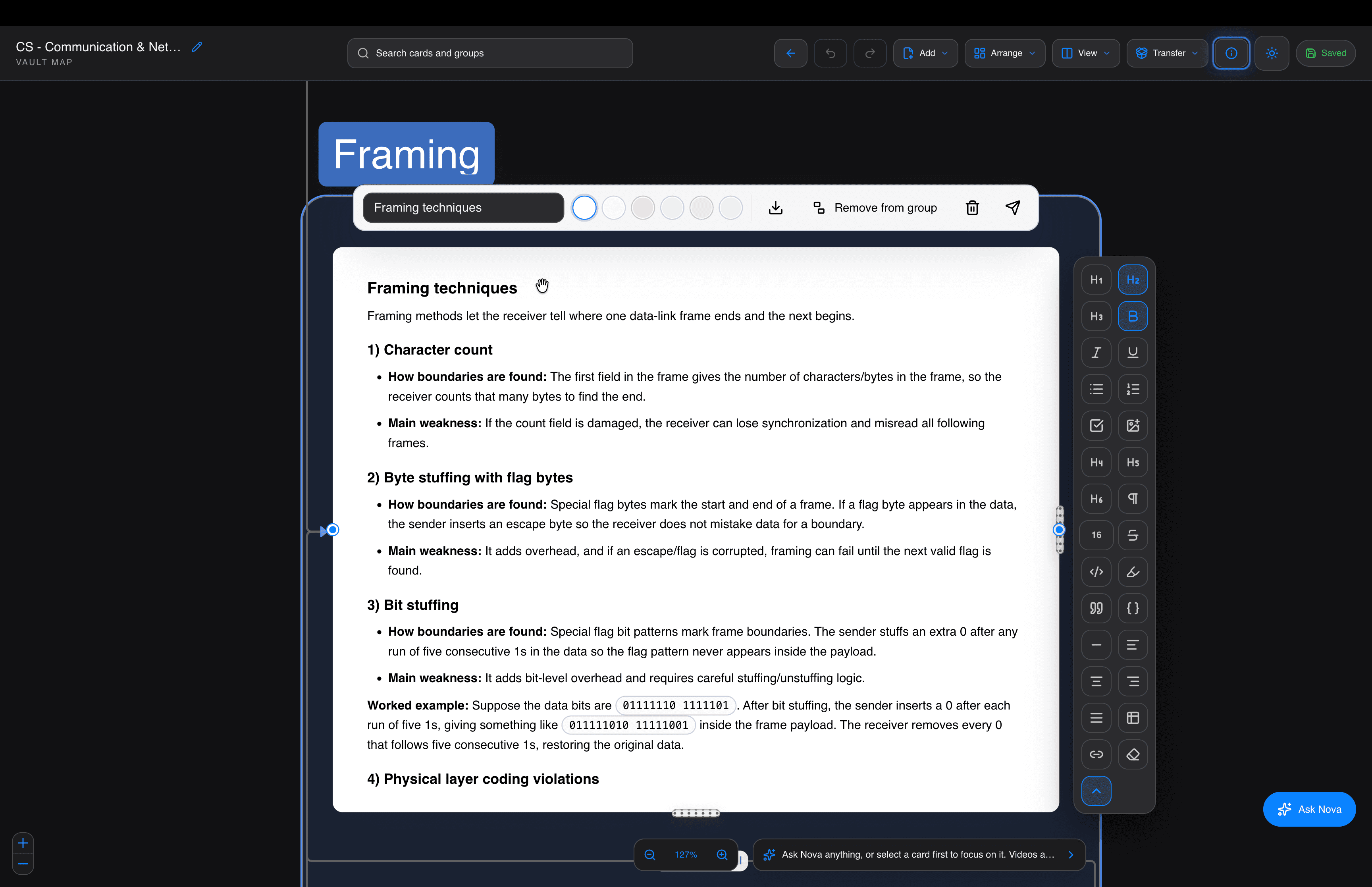
A full editor for your ideas, with headings, checklists, tables and images. Stuck? Write with Nova, and it drafts or reshapes what you have. Connect documents from your vault while you're still writing.
Scan a stack of receipts, forms or pages in one go on your phone, and they stay together as one document instead of scattering across your camera roll.
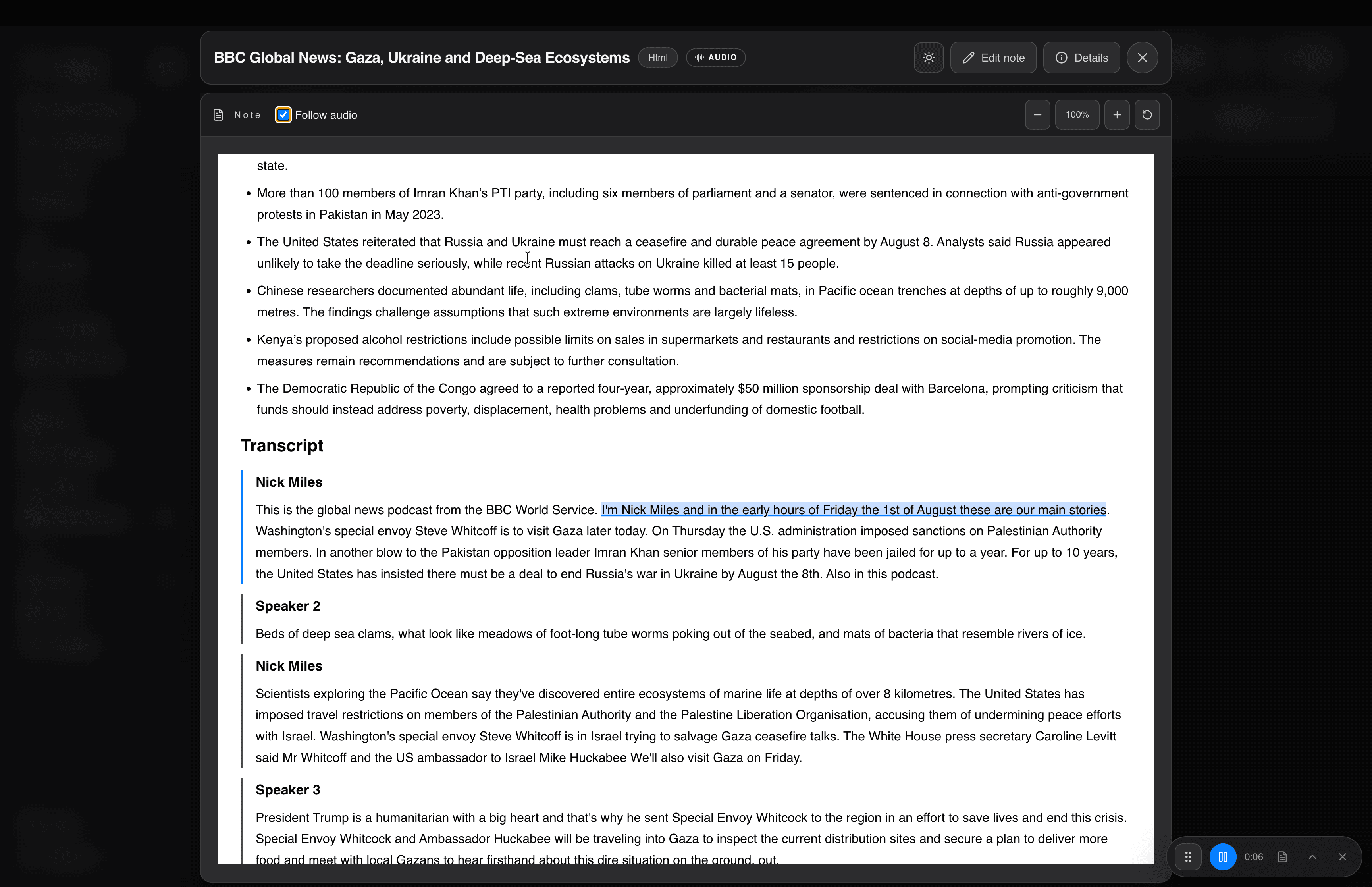
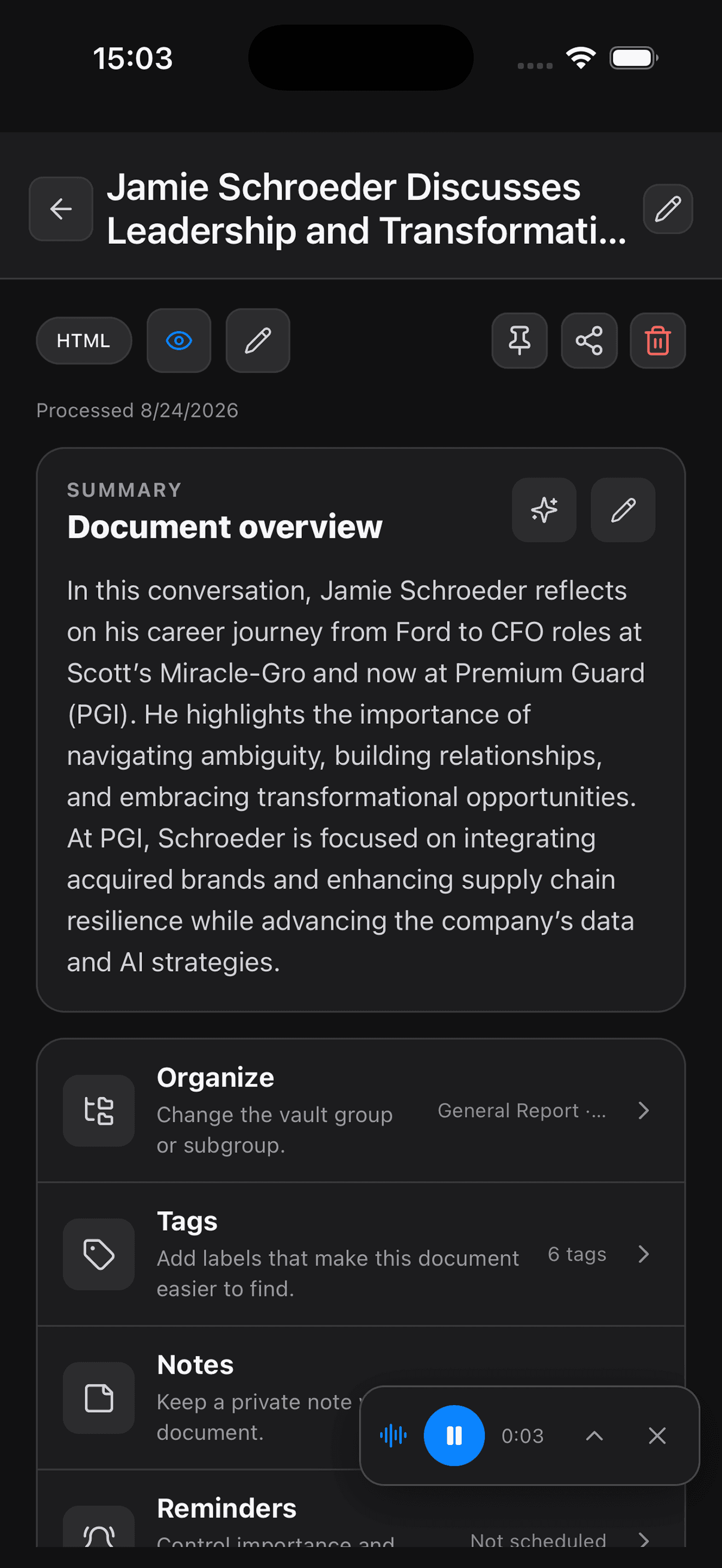
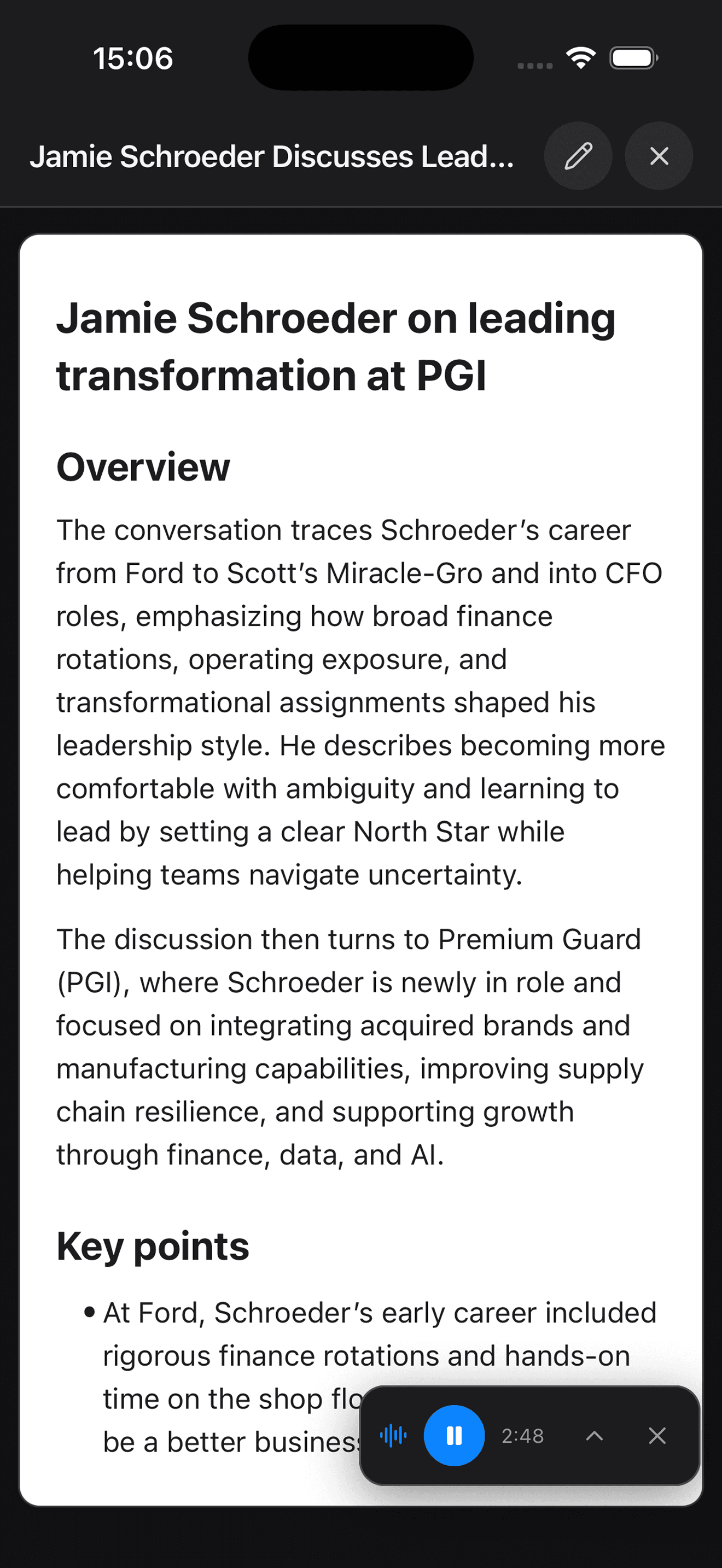
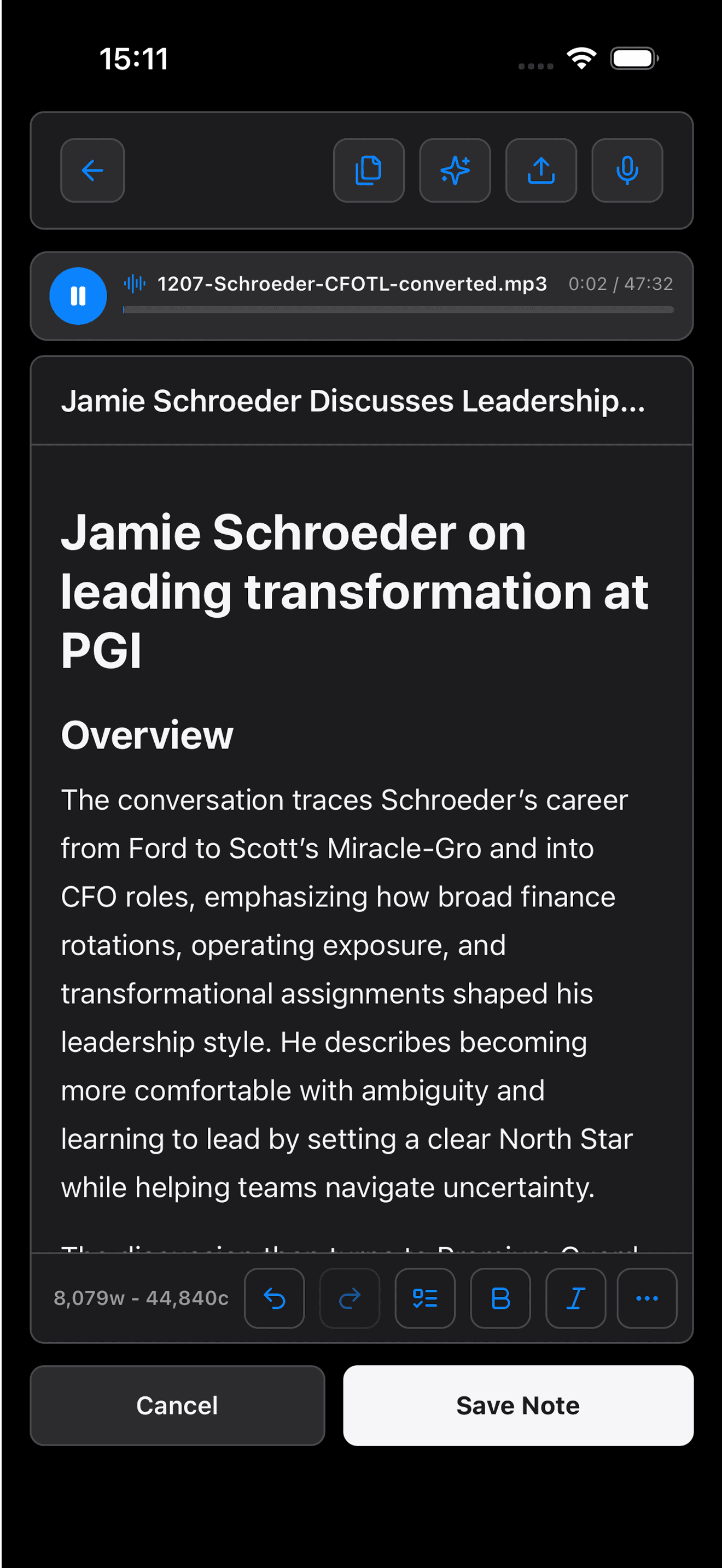
Record a meeting or a voice note, or upload one you already have. Get back an overview, key points, action items and the full transcript. NeuVault even labels who said what, and the transcript scrolls along as the audio plays.

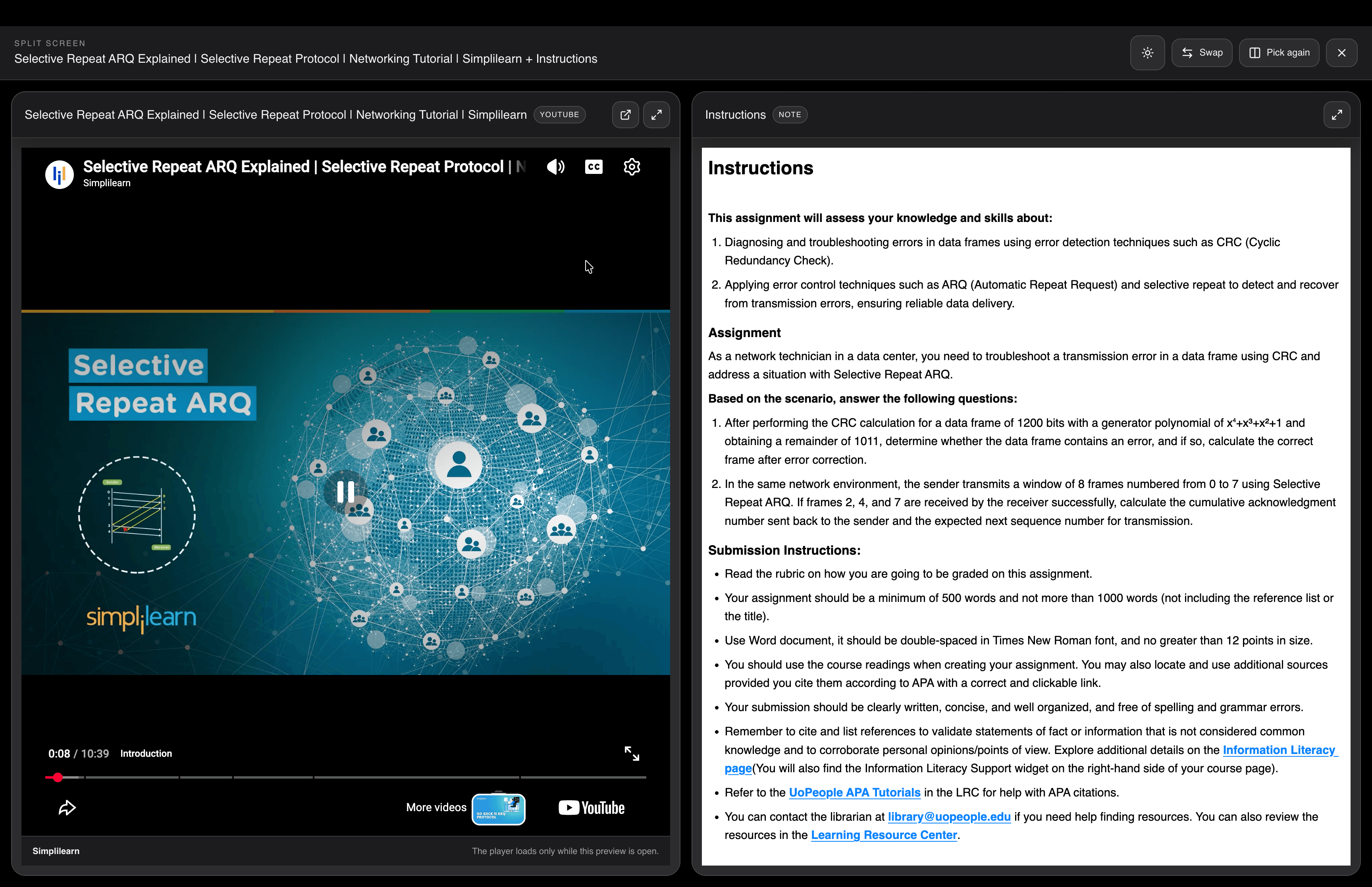
Save bookmarks and YouTube links once, straight from Chrome with the Save to NeuVault extension or from any app's share menu. Nova reads each page, writes a summary and files it, so you know what it is before you open it. YouTube videos play right inside NeuVault.
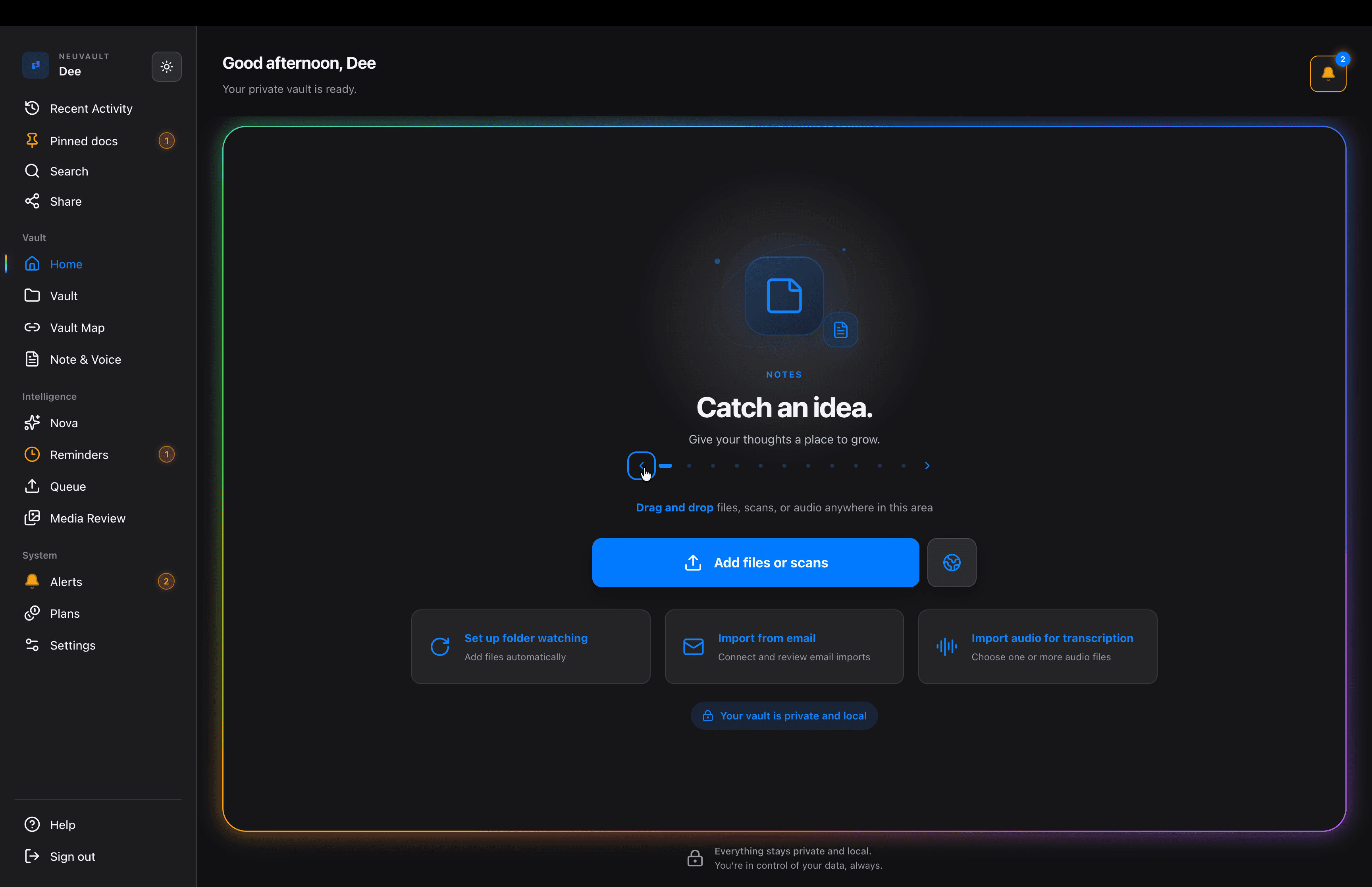
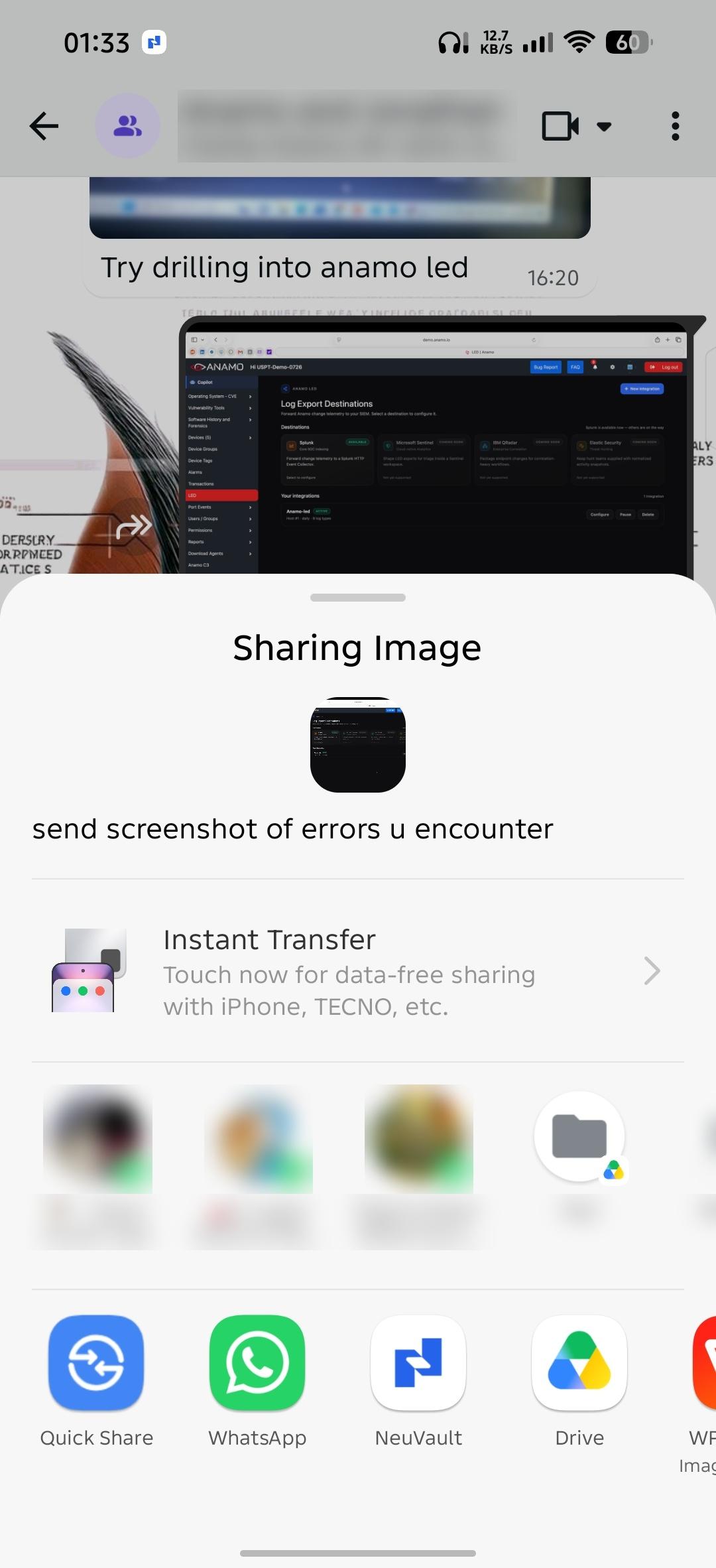
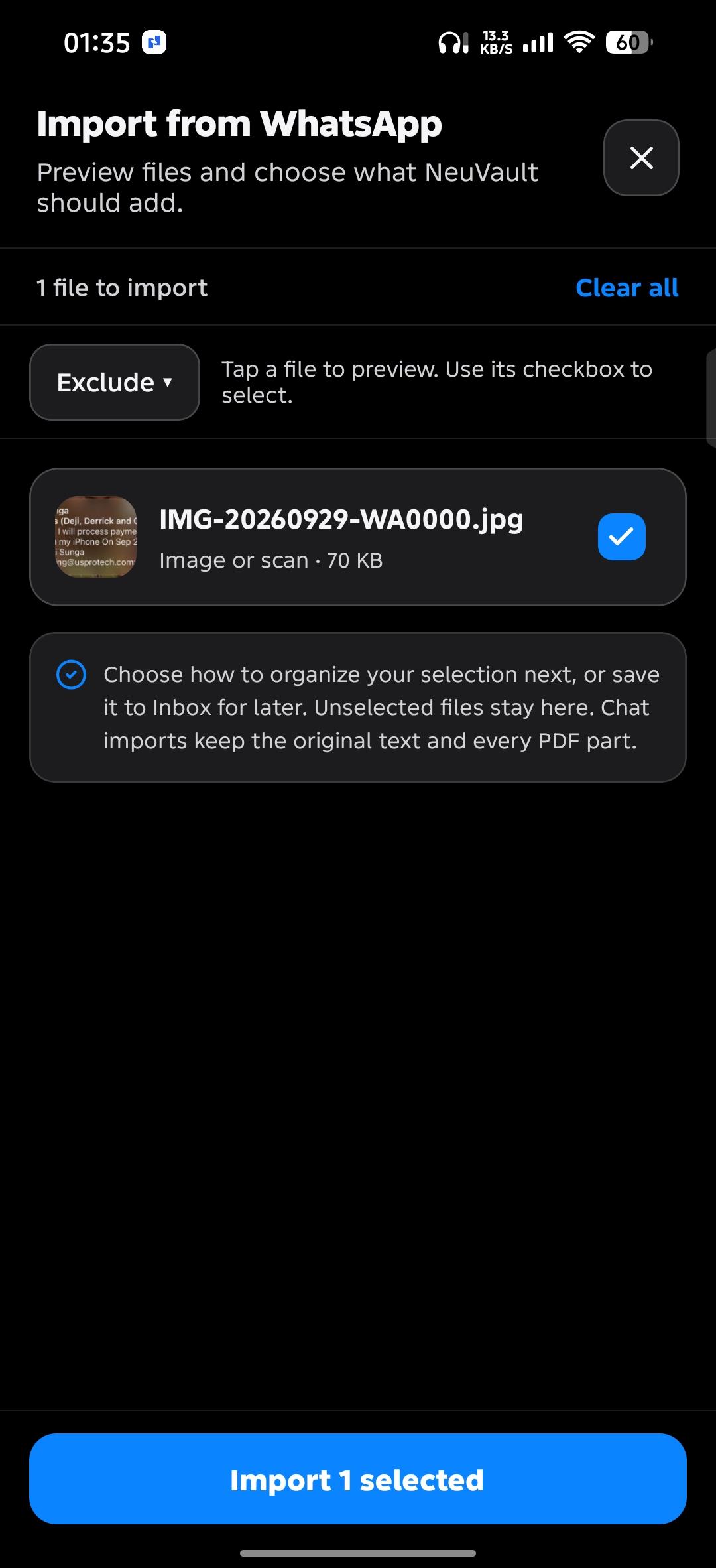
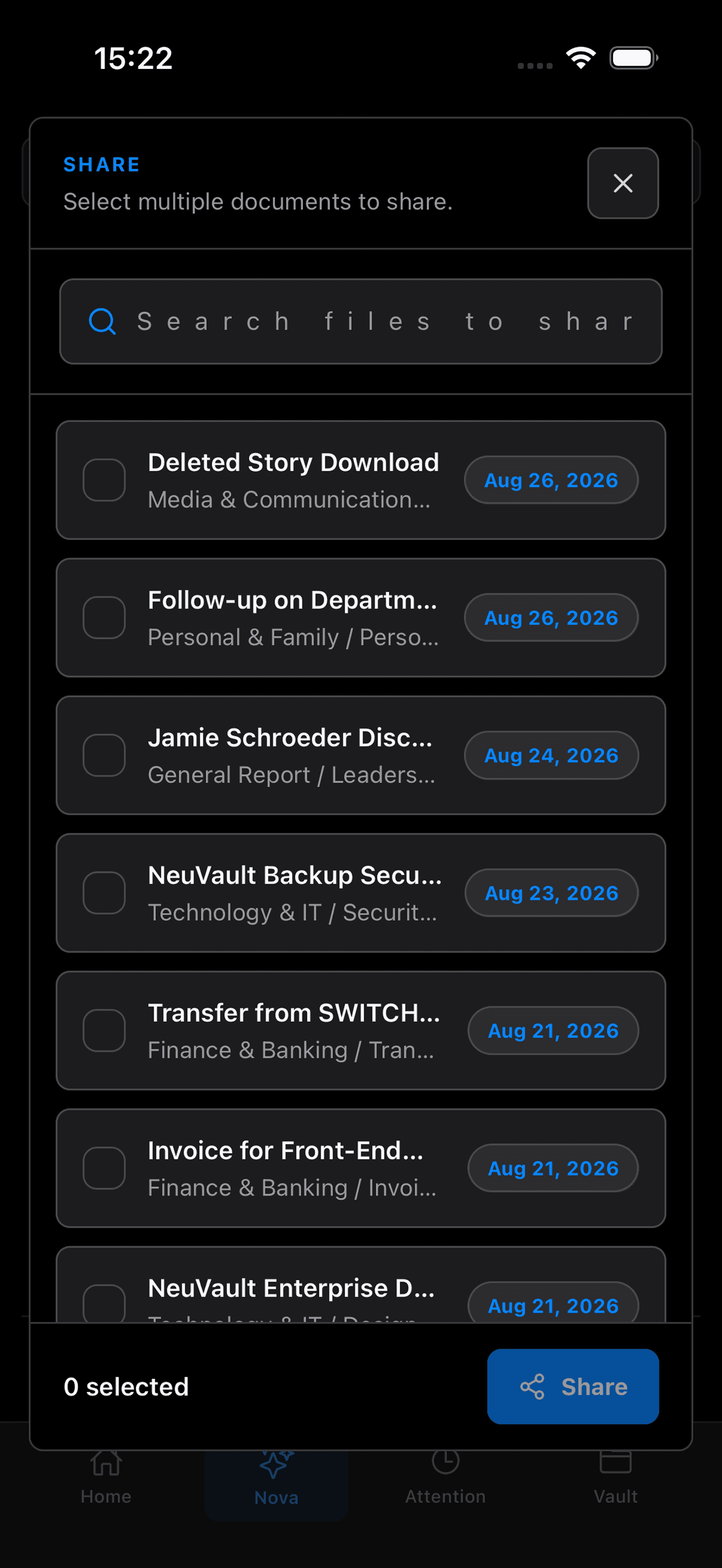
Watch a folder on your computer, connect Gmail or Microsoft 365, or share straight from WhatsApp on your phone, and new files arrive on their own.
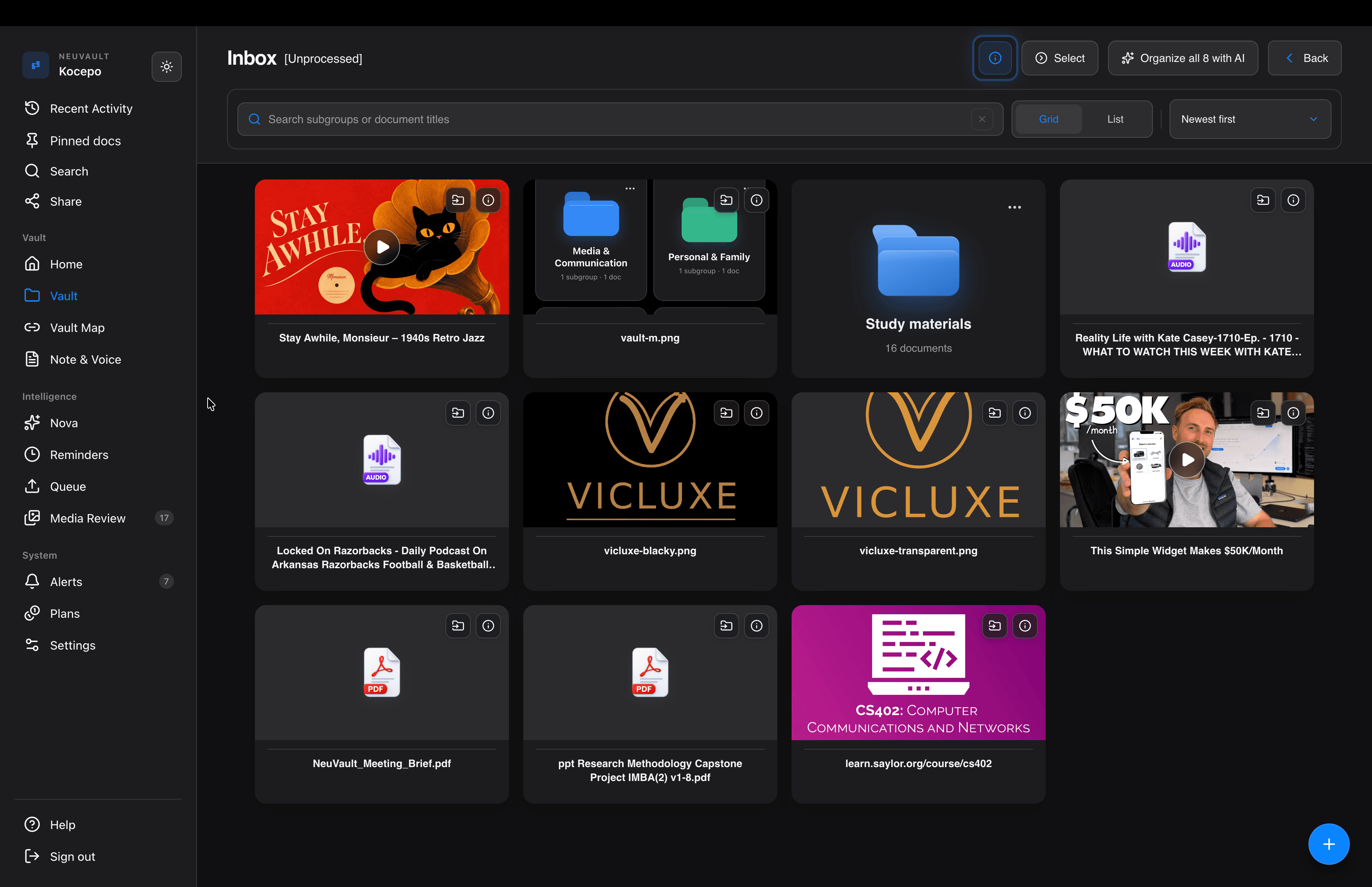
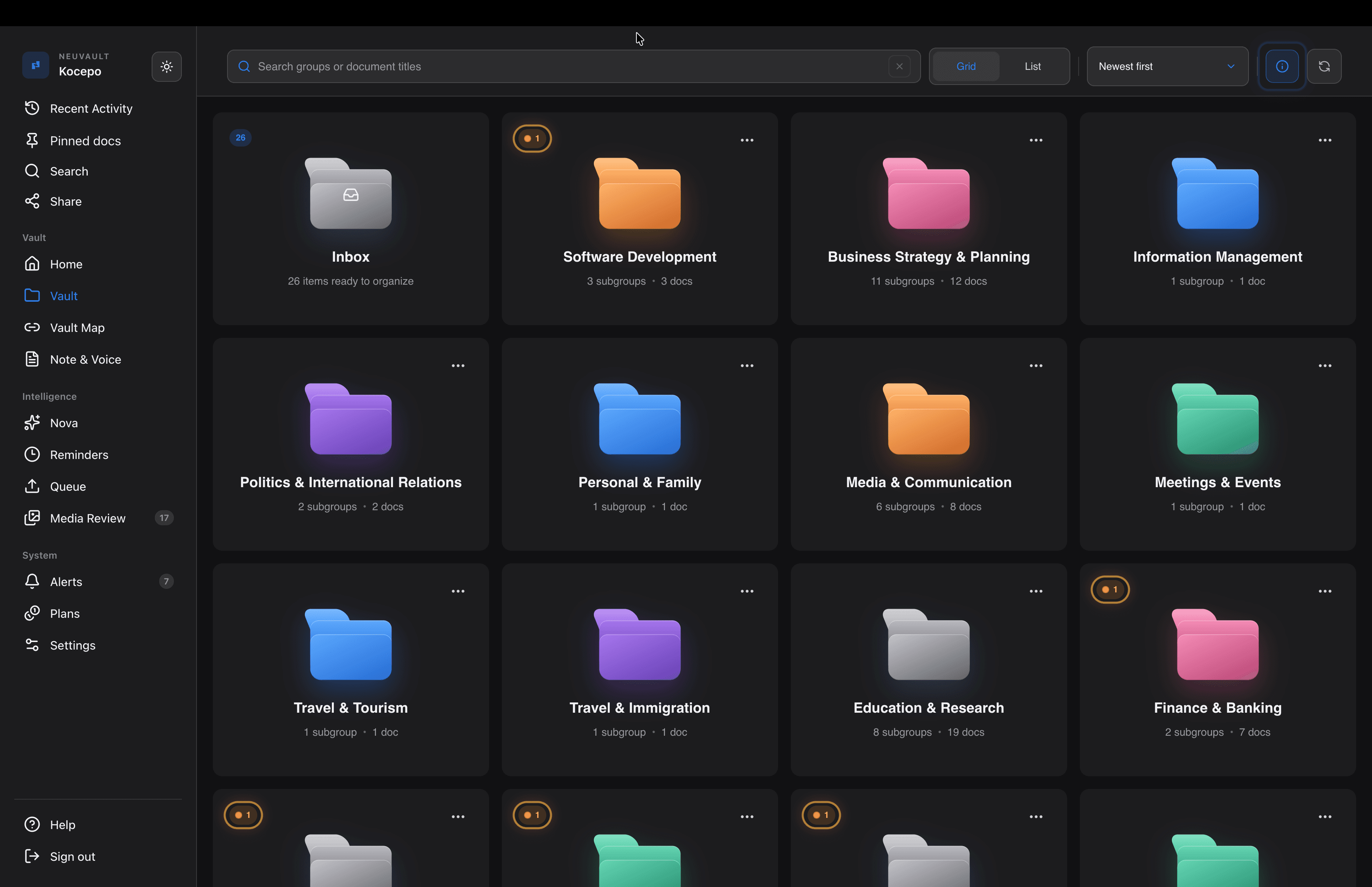
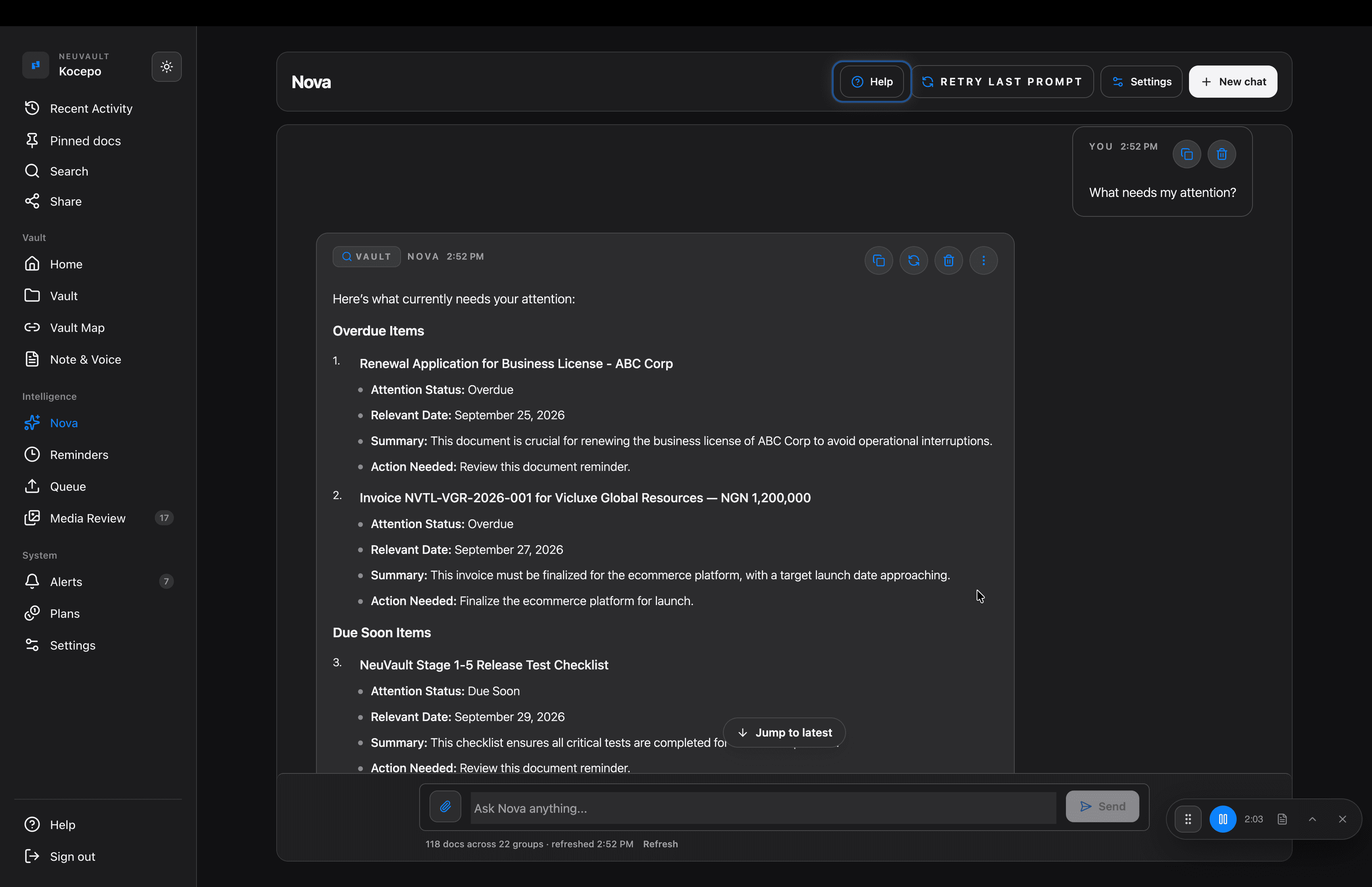
Everything lands in your Inbox untouched. When you're ready, Nova summarizes, tags and sorts it into the right group. Ask Nova anything about your files, and it answers from your own vault.
Answers “Deadlines hiding in plain sight”
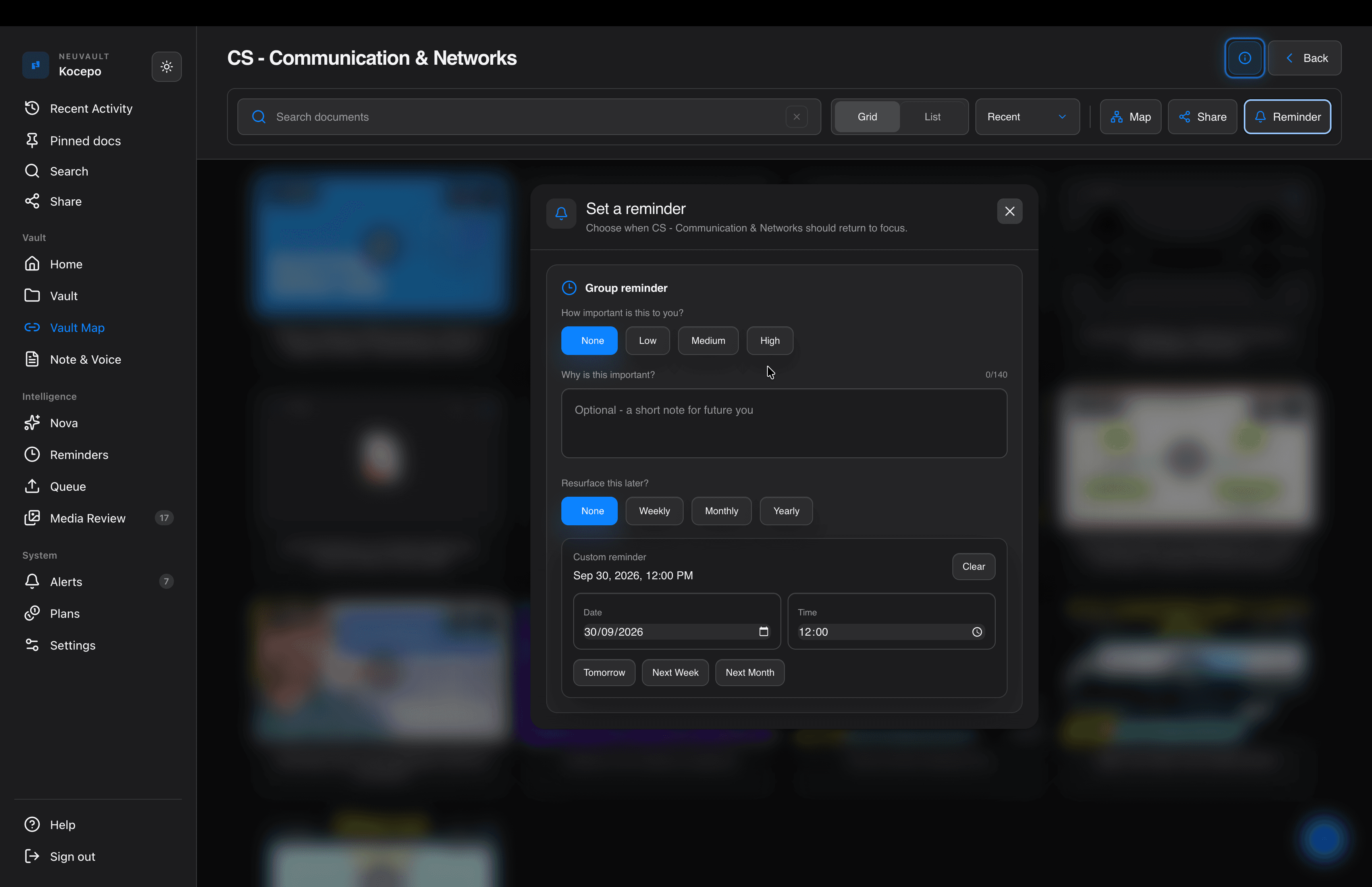
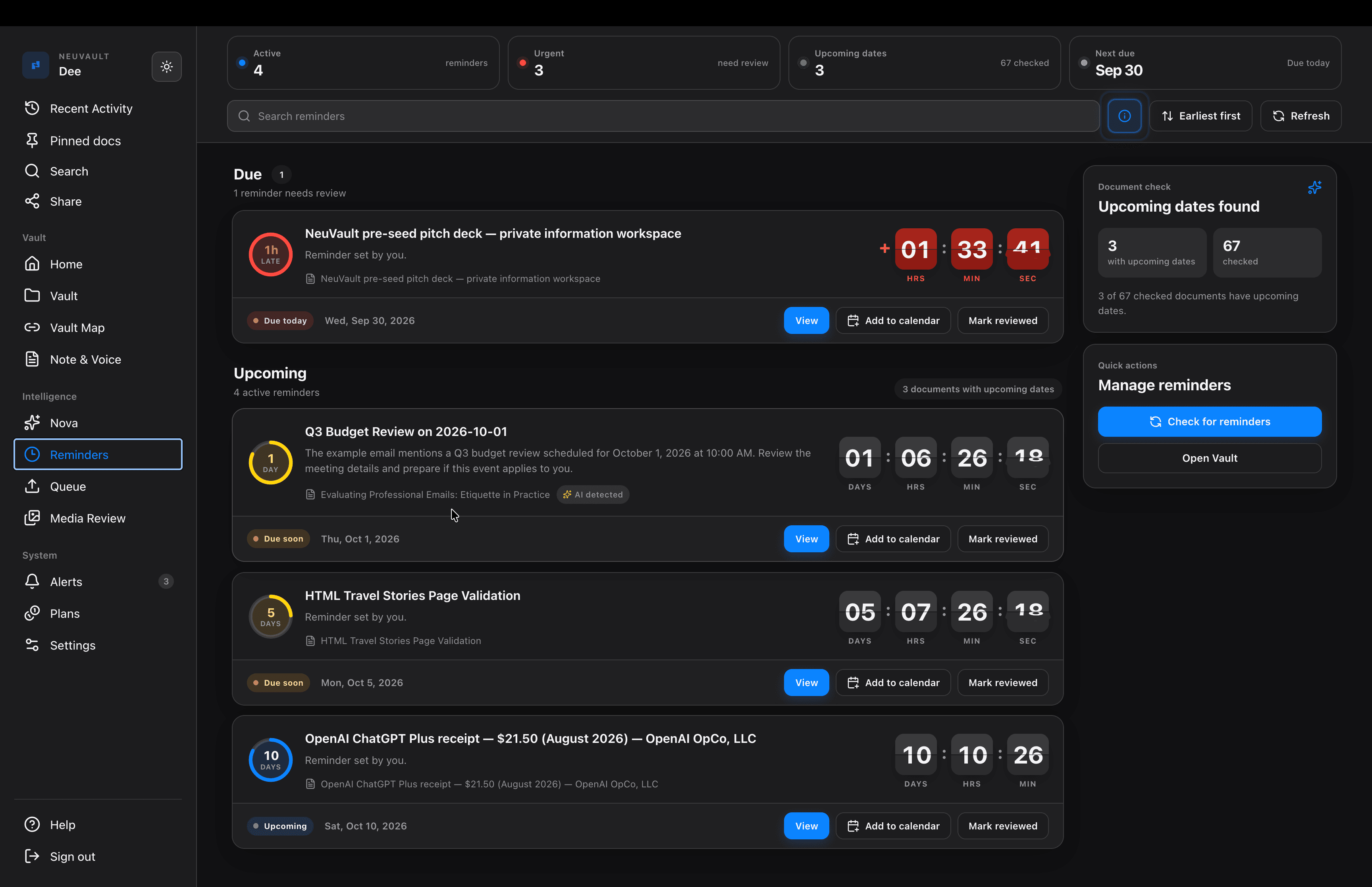
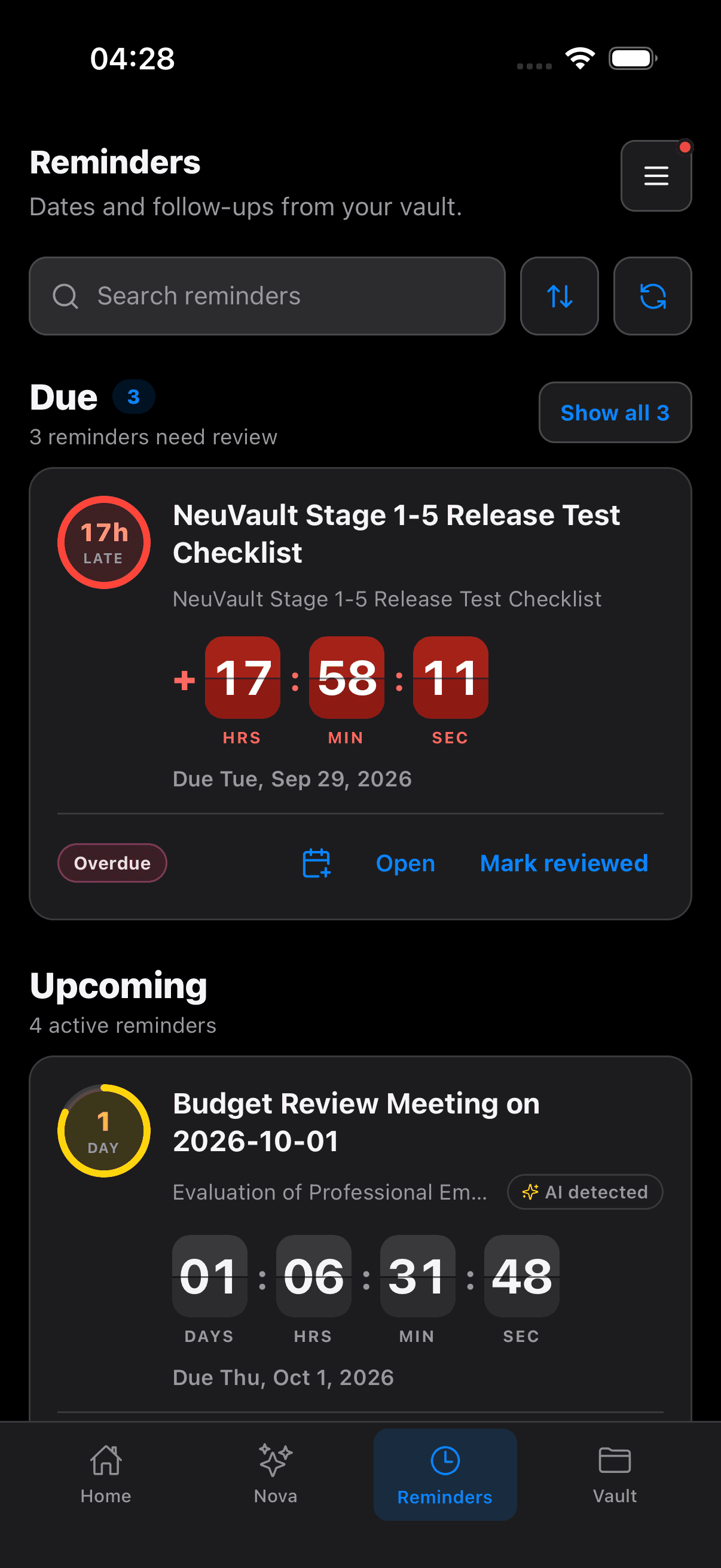
NeuVault reads your documents and notes for important dates, like renewals, payments and events, and sets the reminder for you. Or set your own on any document or a whole group of related files.
Get notified on your phone and desktop before the day and on the day, with an email if it slips past. Add any reminder to your calendar in one tap. Small dots on groups and documents show exactly where something needs your attention.
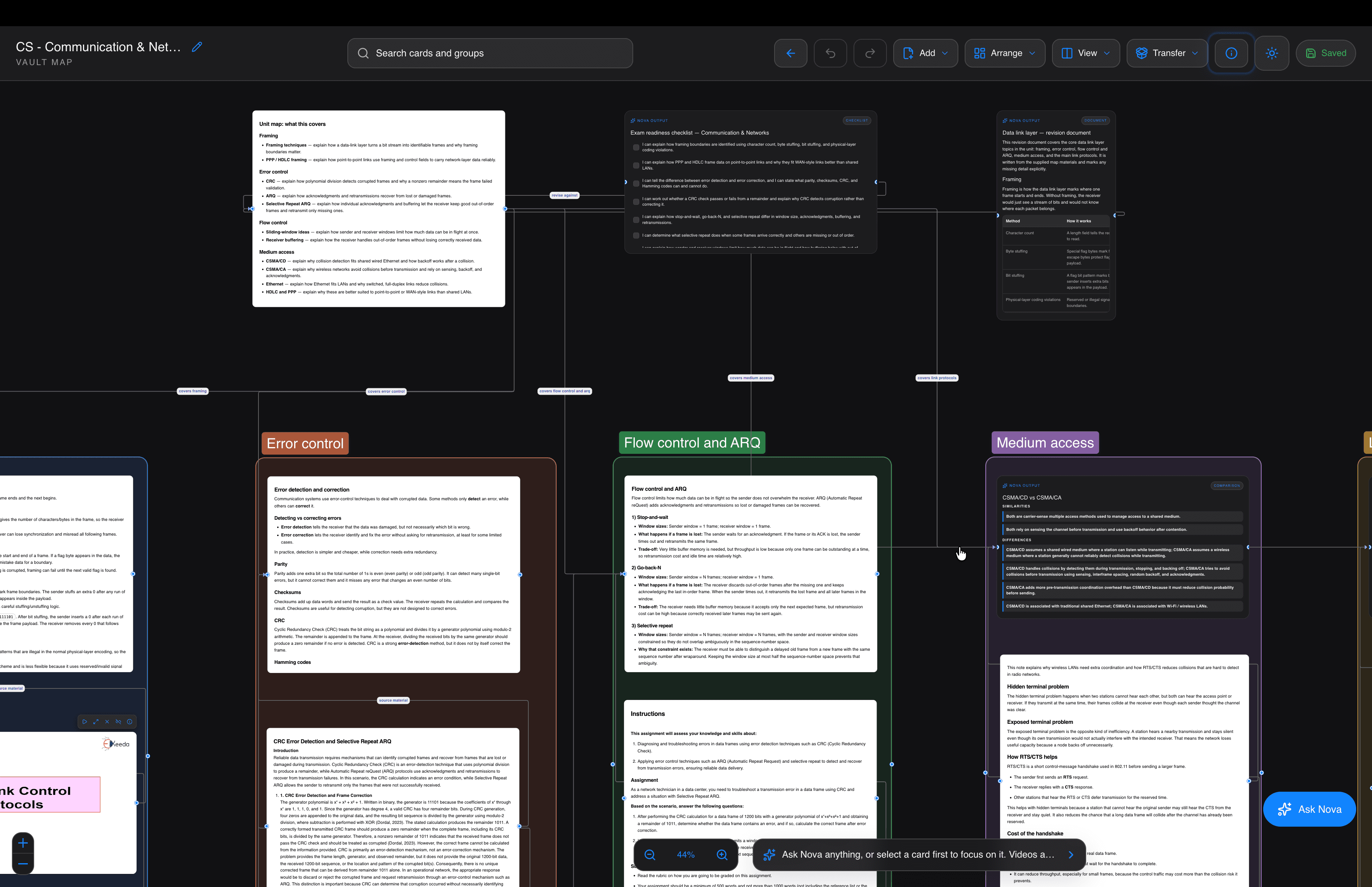
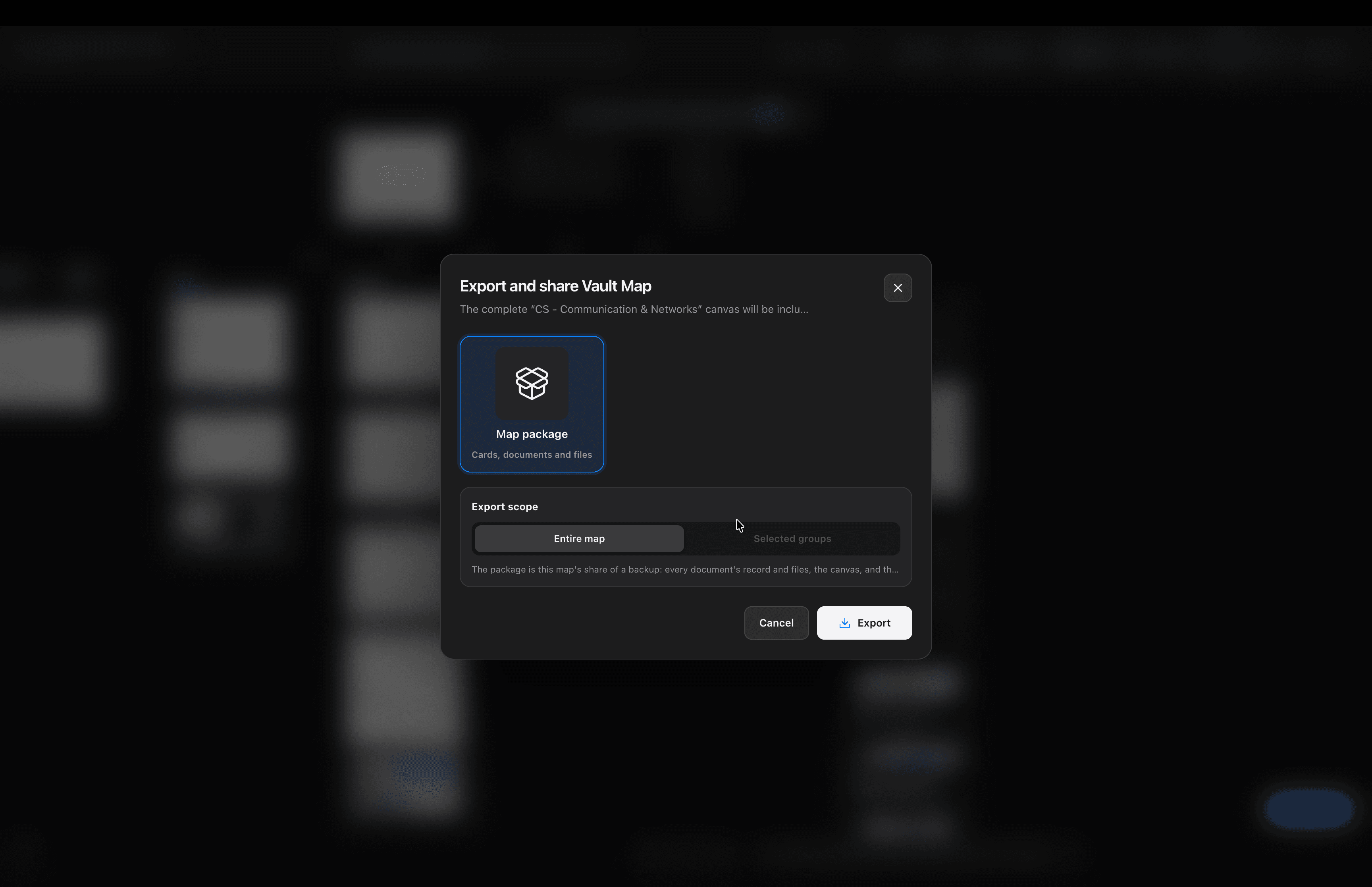
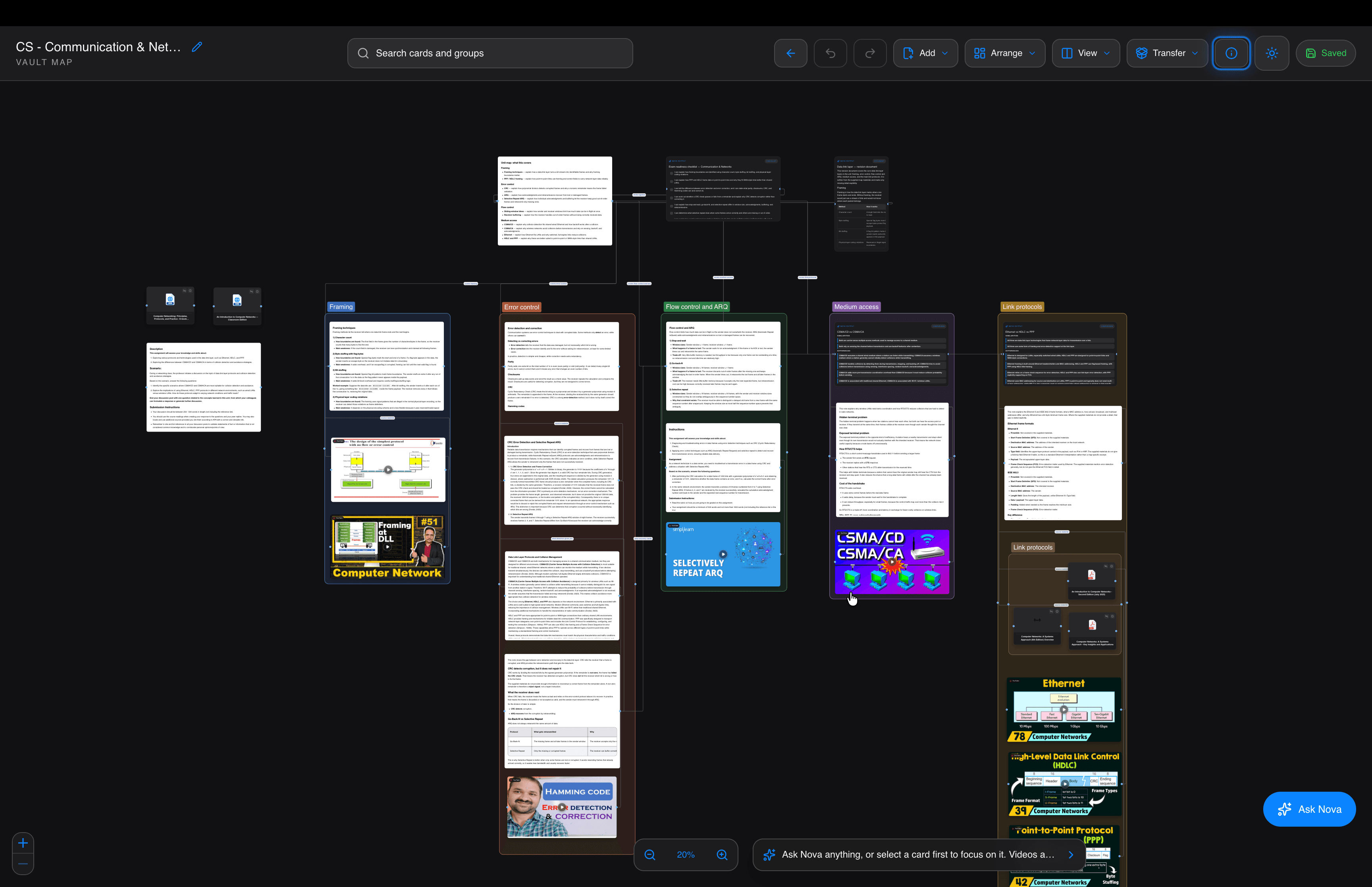
Real work comes in clusters, not single files. Pull everything about one project, client, course or trip onto one canvas: documents, notes, links and videos. Draw connections between them, group and colour them, and read two side by side.
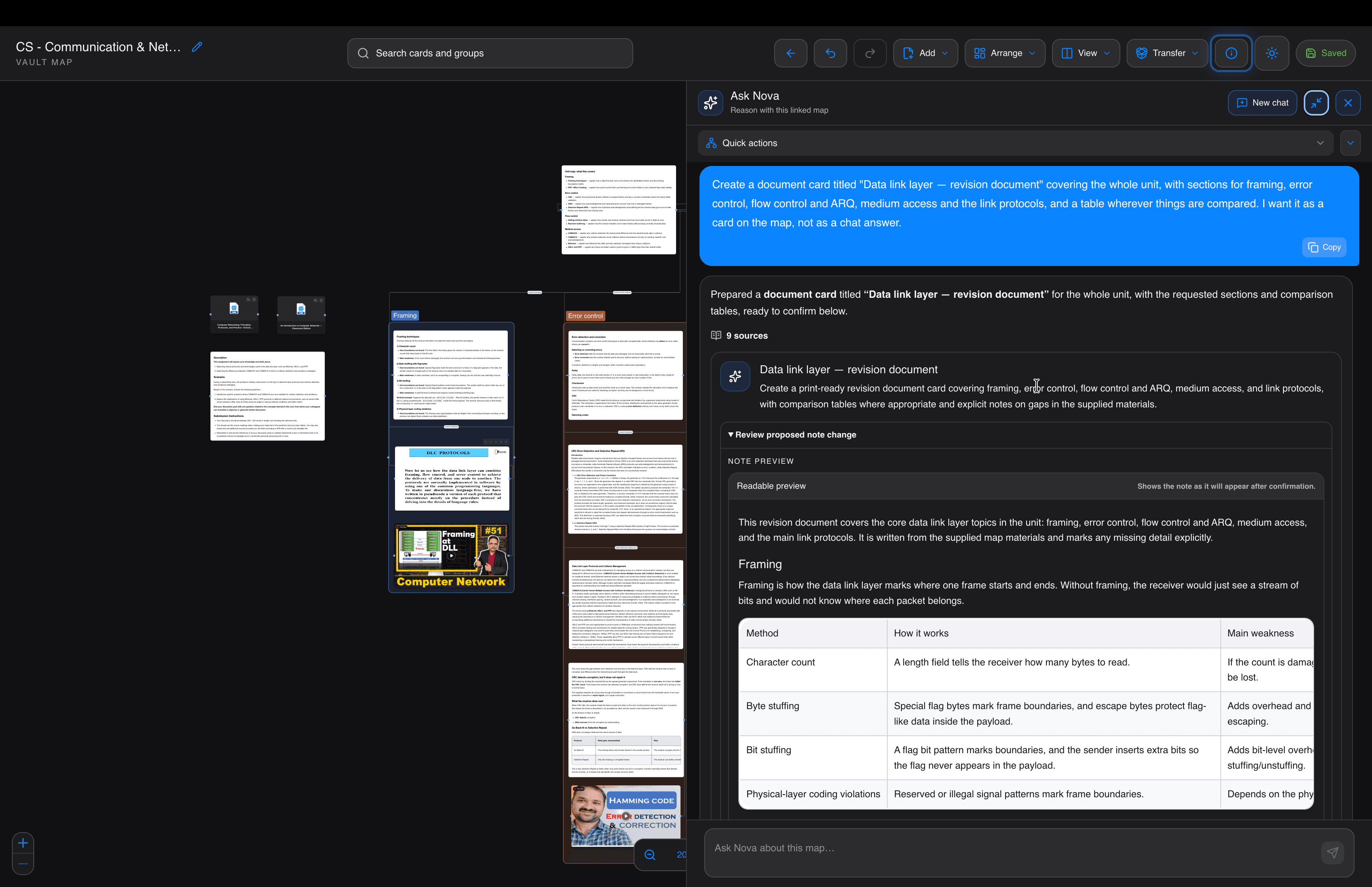
Then ask Nova about the whole map. It can summarize, compare, find what’s missing or build a timeline, and it only changes your map when you confirm. When it’s ready, export the whole map and share it with a classmate, client, colleague or family member.
Walkthroughs
Short videos of the real app, start to finish.
YouTube
Five apps to keep your life in order. NeuVault makes it one: save anything, let it sort itself, and get it back when it matters.
YouTube
Your calendar only knows what you type in. NeuVault finds the dates inside your documents and reminds you before they pass.
YouTube
Files arrive on their own, and Nova sorts them into the right groups.
YouTube
How NeuVault organizes itself, in about a minute and a half.
YouTube
Back up your whole vault as one encrypted bundle and restore it exactly as you left it.
YouTube
Save a link once, and Nova summarizes it and files it for you.
YouTube
Record a meeting, get a structured note, and connect it to the rest of your vault.
YouTube
Put everything for one project on one canvas, then ask Nova about all of it.
Save pages from your browser: Add to ChromeOther browsers and phones
Folders keep what you save.
They never tell you when it matters.
Save it for later.